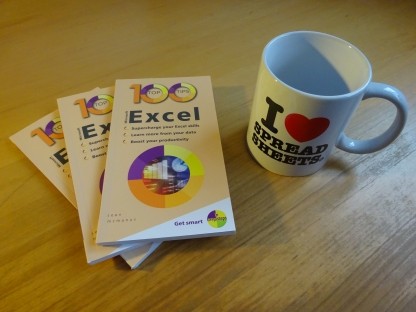
100 Top Tips: Microsoft Excel
Power up your Microsoft Excel skills with this powerful pocket-sized book of tips that will save you time and help you learn more from your spreadsheets.



18 May 2026
 When working on a recent Scratch project in my Code Club, I noticed a huge difference in the children's typing speed and accuracy. They used to have a typing tutor available to them, but don't have one any more. Typing is such a fundamental skill, but the typing tutors I've seen mostly drill kids using nonsense words and phrases and reward them with an unrelated animation. For example, one tool shows a car racing across the screen as you type. Programs like these are valuable for consistent practice, but I don't think they're inherently interesting and they need children to bring a lot of their own motivation, which many will struggle to do.
I started to think about whether there's a better way. When I was a kid, I learned to type by programming on my Amstrad CPC 464 computer. My motivation was to create the programs, my reward was the programs I created, and I picked up typing along the way. I suspect I still type the BASIC keyword "print" faster than most words because I used it so often.
So I got to thinking: what would be meaningful to type, have a relevant reward built in, and be appealing to nearly everyone?
The idea I hit upon is HaHaKeys. It's a web-based game where you type in the feed line for a joke and are rewarded with the punchline, along with your speed and accuracy scores. There are more than 170 human-curated jokes in there, and I'm adding new jokes from time to time. There's a form to suggest your own, too.
I tested the program in my Code Club and the kids loved it. Some used it for the entire session and asked to use it again next session. One boy got an accuracy streak of 14 (no errors in 14 entries), while others compromised on accuracy to get a higher speed score. The punchline is only revealed when the feed line has been typed correctly, but you can edit your entry as you would in a word processor.
I created the program with assistance from AI, which is the only way I could do it with the resources I have available. I have reservations about AI and the amount of AI content that is being mindlessly generated at the moment, but this app has a good and original idea at its heart, and has been created with care. My programming experience was required to get good results from the AI and to refine the finished app.
HaHaKeys is free and available for anyone to use at school, in Code Clubs, or at home. There's no need to register: you can pop in and get started immediately and come back whenever you have a few minutes to practice.
If you like the idea, please do share it with friends. People I've shown it to love it, but children can't use a tool they don't know exists and my reach is limited. There's a one-page PDF advert you can add to school newsletters or share with your Code Clubs.
Permanent link for this post | Blog Home | Website Home | Email feedback

© Sean McManus. All rights reserved.
Visit www.sean.co.uk for free chapters from Sean's coding books (including Mission Python, Scratch Programming in Easy Steps and Coder Academy) and more!
Power up your Microsoft Excel skills with this powerful pocket-sized book of tips that will save you time and help you learn more from your spreadsheets.
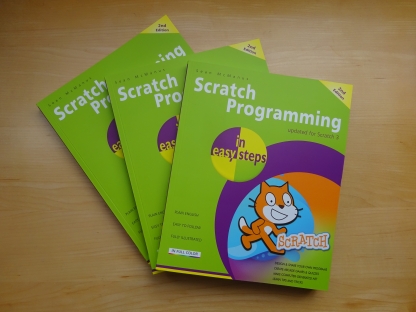
This book, now fully updated for Scratch 3, will take you from the basics of the Scratch language into the depths of its more advanced features. A great way to start programming.
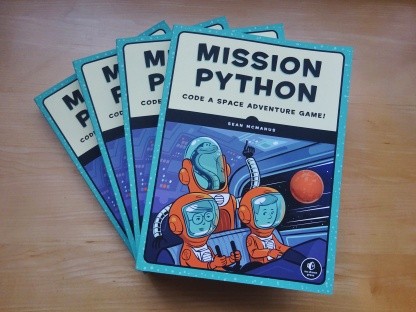
Code a space adventure game in this Python programming book published by No Starch Press.
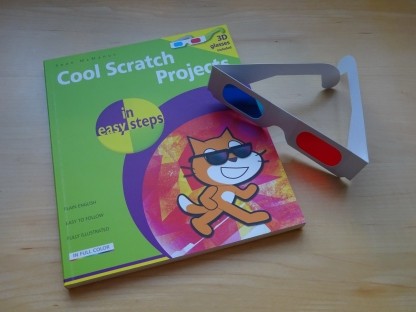
Discover how to make 3D games, create mazes, build a drum machine, make a game with cartoon animals and more!
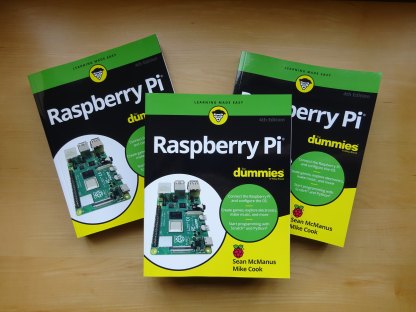
Set up your Raspberry Pi, then learn how to use the Linux command line, Scratch, Python, Sonic Pi, Minecraft and electronics projects with it.
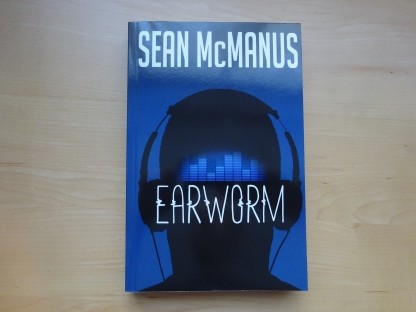
In this entertaining techno-thriller, Sean McManus takes a slice through the music industry: from the boardroom to the stage; from the studio to the record fair.
 Top | Search | Help | Privacy | Access Keys | Contact me
Home |
Newsletter |
Blog |
Copywriting Services |
Books |
Free book chapters |
Articles |
Music |
Photos |
Games |
Shop |
About