Speed up your PC and shrink your slideshows

02 February 2012


I've written two short tutorials for Microsoft Office, picking up on a couple of specific problems that I've come across recently.

One of them is about how to make PowerPoint files smaller, so they can be emailed. A colleague asked me about this recently, so (after helping her!) I thought I'd write an article outlining how to use the Compress Pictures feature in PowerPoint, and why it's different to just zipping up the final presentation (which often doesn't have much effect). I wrote this piece before Christmas but I haven't mentioned it on the blog before, so I thought I'd give it a plug here.

I've also just published a piece about Windows ReadyBoost. This is a fantastic feature that enables you to use a USB key as extra memory on your computer. It's greatly speeded up Word and Excel for me, and it's made Windows much quicker too, especially at rendering thumbnails of photos in a folder. Given how cheaply you can get a USB key for now (16GB for about a tenner) this is a really cost-effective way to speed up a computer that's become sluggish. Find out how to speed up Microsoft Office and Windows using ReadyBoost.

Labels:

Permanent link for this post | Blog Home | Website Home | Email feedback


News on three book projects

14 April 2011


It's been a while since I updated the blog, so I've got three bits of news about books I've written to share with you.

Book cover: Web design in easy stepsFirstly, Web Design in Easy Steps has now been published. It's a full colour 240-page book in the popular In Easy Steps series. It starts by looking at the web design challenge, and then discusses what makes an effective website (with chapters dedicated to content, navigation and layout), before going into more depth on how websites are built. There are chapters dedicated to HTML, CSS and Javascript, and there are tips on using tools such as Flash, Dreamweaver and Wordpress. There is also advice on plugging in to social networking sites and adding a shopping cart. The book concludes with a look at how you can promote your website and measure what your visitors do on the site.

I have written extensively about website design in the past, for magazines including Internet Magazine, Business 2.0 and Internet Works, as well writing and editing a monthly newsletter about usability for a couple of years. I've also managed a few commercial website design projects in the past and am now working on updating my own website to reflect more of the good ideas in the book. Find out more about Web Design in Easy Steps, including how to order your copy, here.

The second bit of news is that Microsoft Office for the Older and Wiser is now available for the Amazon Kindle. You can get a free sample sent to your Kindle device from that link. For more information on the book, see the website for Microsoft Office for the Older and Wiser. I was really pleased with the structure and content of this book. It takes readers from no knowledge of the Office suite up to being quite sophisticated users through a series of projects. The book covers Word, Excel, PowerPoint and OneNote. There's also a bonus chapter on email using Windows Live.

The third piece of book news is that iPad for the Older and Wiser is now available for pre-order. I've written over half of it now and it will include coverage of both the original iPad and the features that are exclusive to the new iPad 2. The book will be published in September 2011. Wish me luck with drafting the last chunk of it and let me know if you have any favourite apps to recommend for the book!

Labels: , , , ,

Permanent link for this post | Blog Home | Website Home | Email feedback


Out now: my book Microsoft Office for the Older and Wiser

15 October 2010


Book cover: Microsoft Office for the older and wiserMy book Microsoft Office for the Older and Wiser has just been published, and it's looking great. Writing a book is a satisfying process, and it's rewarding to see the ideas take shape. But it's always a good day when the box of author copies arrives and you see, touch and even smell all the words and pictures you created in the form of a book for the first time.

The publishing firm John Wiley has done a great job on the design and layout of this series, and it's printed in full colour on glossy paper. I worked hard on creating screenshots that would look good in the book, and I'm pleased with how they've come out.

The projects in the book show you how to make the most of the Microsoft Office Suite, both Office 2007 and Office 2010. There are three chapters dedicated to Word, two to Excel, one to mail merge using both applications together, and then one chapter each for PowerPoint and OneNote. There's also a bonus chapter on using email to share your Office documents. The book concludes with an appendix on using keyboard shortcuts, a glossary and an index. Each part is illustrated with a brilliant cartoon by Stephen Long.

One of the things that was important to me was that I didn't just teach people how to carry out the projects in the book. I wanted readers to understand what they're doing and why, so that they can carry out projects of their own. Each chapter concludes with some suggestions of other projects that can be undertaken using the skills in the chapter, which I hope will help to inspire readers to experiment with their own creations.

I have some bonus content I'll be adding to this site in due course: a few bits that there wasn't room for, and a few tips articles I'd like to write for this website. For now, you can visit the microsite for the book Microsoft Office for the Older and Wiser to take an illustrated tour through the projects and find the supporting resources promised in the book.

I've also created a video on Youtube, which shows all the screenshots from the book. For best results, watch in full screen and HD. Click the four arrows icon in the bottom right to go full screen, and click the 360p to change it to 720p. When you've finished, click the four arrows in the bottom right to go back to the normal screen again.

If you'd like to order the book (thank you!), you can do so through any bookshop by quoting ISBN 978-0470711965. You can also order Microsoft Office for the Older and Wiser at Amazon.co.uk.

Labels: ,

Permanent link for this post | Blog Home | Website Home | Email feedback


Using templates to make book writing easier

31 March 2010


I've just started work on a new book (more news on that later), and one technique I've used which saves a lot of time is to create a basic template that I can use for each chapter.

In this book, as in many practical non-fiction books, there are highly formatted sections (introduction, summary etc) that are the same in each chapter. Each of these sections needs to be formatted using the right styles in the publisher's Word template.

So I've created an empty chapter. It has placeholder copy for the chapter title and all the headings and styles that occur in the same place in every chapter. It doesn't cover the body of the chapter and all its subheadings - it just covers the regular features that are always there in the same place.

This has two advantages: firstly, it saves time. I don't have to worry about formatting the chapter title ten times because I've already done it. Although that in itself doesn't take long, the template I've created uses nine different styles and has fifteeen different content elements that require formatting, so the time does add up. All these bits are guaranteed to be in every chapter, so it's work I have to do anyway. I've just chosen to do it once, rather than doing it 10 times.

The second advantage is that it means I can get up and running with a new chapter straight away. I don't have to mess around with styles because that's already done - I can just start writing. Given that one of the challenges is to create momentum on a new chapter, having these templates makes the whole project run much more smoothly.

Labels: , ,

Permanent link for this post | Blog Home | Website Home | Email feedback


Microsoft Office 2010: what's in it for writers?

02 February 2010


I've been playing with the beta version of Microsoft Office 2010. I'm a big fan of Office 2007 - it made a few enemies by ditching a user interface with over ten years of history behind it. But it does make most activities much quicker to carry out, once you've worked out where they are hiding on the new toolbar.

Office 2010 has a lot of crossover with Office 2007. Lots of people were infuriated by the removal of the File menu in Office 2007 and even more so by the help which told you "IMPORTANT: you can't get it back" (paraphrasing only slightly). Well, Office 2010 has introduced a File tab, which takes you to the backstage area. This is basically about the file settings, and the other stuff that goes on in the background and doesn't affect your document's content or appearance. All the features that used to be behind the Office button in Office 2007 are now found here, and the office button itself has gone. This provides quicker access to a lot of features and saves time hunting between different sub menus to find them.

There are a few new features which might save some time. There's a cool feature for inserting a screengrab into your document. You just select which of the currently running programs you'd like to grab (it must not be minimised), and the image is inserted in your document. For those writing software tutorials, this could save quite a lot of time, although this workflow won't help out with book production much because publishers typically need the images to be separated out.

Word 2010 has a new navigation panel down the left, which adds search to the thumbnails and document map, and makes it easier to switch between them. There are some new text effects too, and a web-based translator built in to the Review tab.

The main new addition to Office 2010 is integration with Skydrive, which enables documents to be stored online so that they can be accessed and edited online and from other machines. This is a response to the rise of Google Documents and other online editing services.

I expect additional new features will come to light as I use Office 2010 more, but for now it seems to be more of an evolution than a revolution. Perhaps just having a File tab where the File menu used to be will be enough to encourage people to give it a go. They'll be pleased they did: the old version of Office hadn't changed very much since 1995, and was designed for much smaller screens than we typically have today. Office 2007 and 2010 more fully exploit the available screenspace to enable you to write more intuitively and quickly.

Labels: , ,

Permanent link for this post | Blog Home | Website Home | Email feedback


Dip into the blog archive

June 2005 | September 2005 | January 2006 | March 2006 | April 2006 | May 2006 | June 2006 | July 2006 | August 2006 | September 2006 | October 2006 | November 2006 | December 2006 | February 2007 | March 2007 | April 2007 | May 2007 | June 2007 | July 2007 | August 2007 | September 2007 | October 2007 | November 2007 | December 2007 | January 2008 | February 2008 | March 2008 | April 2008 | May 2008 | June 2008 | July 2008 | August 2008 | September 2008 | October 2008 | November 2008 | December 2008 | January 2009 | February 2009 | March 2009 | April 2009 | May 2009 | June 2009 | July 2009 | August 2009 | September 2009 | October 2009 | November 2009 | December 2009 | January 2010 | February 2010 | March 2010 | April 2010 | June 2010 | August 2010 | September 2010 | October 2010 | December 2010 | March 2011 | April 2011 | May 2011 | June 2011 | July 2011 | August 2011 | September 2011 | October 2011 | November 2011 | December 2011 | January 2012 | February 2012 | March 2012 | June 2012 | July 2012 | August 2012 | September 2012 | October 2012 | December 2012 | January 2013 | February 2013 | March 2013 | April 2013 | June 2013 | July 2013 | August 2013 | September 2013 | October 2013 | November 2013 | December 2013 | January 2014 | February 2014 | March 2014 | April 2014 | May 2014 | June 2014 | July 2014 | August 2014 | September 2014 | October 2014 | November 2014 | December 2014 | January 2015 | February 2015 | March 2015 | April 2015 | May 2015 | June 2015 | September 2015 | October 2015 | December 2015 | January 2016 | February 2016 | March 2016 | May 2016 | July 2016 | August 2016 | September 2016 | October 2016 | November 2016 | December 2016 | January 2017 | July 2017 | August 2017 | October 2017 | November 2017 | January 2018 | February 2018 | August 2018 | October 2018 | November 2018 | December 2018 | January 2019 | March 2019 | June 2019 | August 2019 | September 2019 | October 2019 | January 2020 | February 2020 | March 2020 | April 2020 | May 2020 | June 2020 | September 2020 | October 2020 | December 2020 | January 2021 | February 2021 | May 2021 | June 2021 | October 2021 | November 2021 | December 2021 | January 2022 | February 2022 | March 2022 | May 2022 | July 2022 | August 2022 | September 2022 | December 2022 | March 2023 | April 2023 | May 2023 | June 2023 | October 2023 | November 2023 | January 2024 | February 2024 | May 2024 | June 2024 | July 2024 | September 2024 | October 2024 | November 2024 | December 2024 | January 2025 | February 2025 | September 2025 | October 2025 | November 2025 | January 2026 | March 2026 | April 2026 | May 2026 | June 2026 | Top of this page | RSS

Credits

© Sean McManus. All rights reserved.

Visit www.sean.co.uk for free chapters from Sean's coding books (including Mission Python, Scratch Programming in Easy Steps and Coder Academy) and more!

Discover my latest books

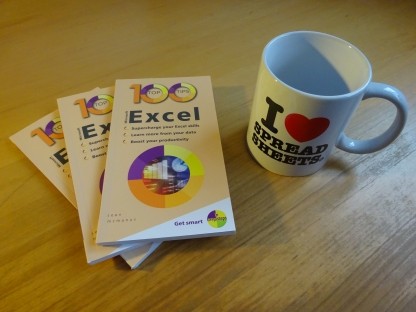
100 Top Tips: Microsoft Excel

100 Top Tips: Microsoft Excel

Power up your Microsoft Excel skills with this powerful pocket-sized book of tips that will save you time and help you learn more from your spreadsheets.

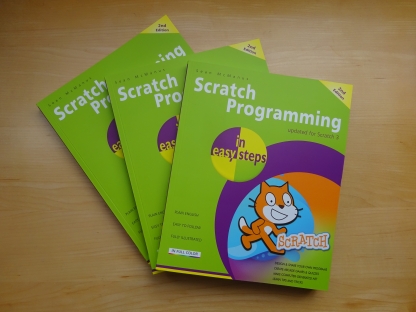
Scratch Programming in Easy Steps

Scratch Programming IES

This book, now fully updated for Scratch 3, will take you from the basics of the Scratch language into the depths of its more advanced features. A great way to start programming.
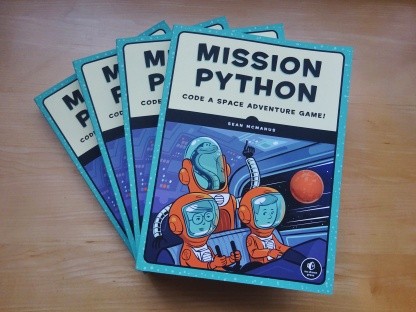
Mission Python book

Mission Python

Code a space adventure game in this Python programming book published by No Starch Press.
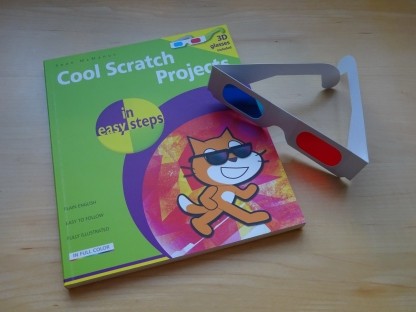
Cool Scratch Projects in Easy Steps book

Cool Scratch Projects in Easy Steps

Discover how to make 3D games, create mazes, build a drum machine, make a game with cartoon animals and more!
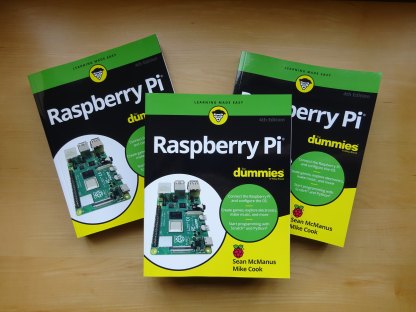
Raspberry Pi For Dummies

Raspberry Pi For Dummies

Set up your Raspberry Pi, then learn how to use the Linux command line, Scratch, Python, Sonic Pi, Minecraft and electronics projects with it.
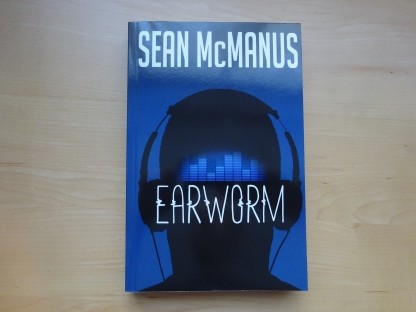
Earworm

Earworm

In this entertaining techno-thriller, Sean McManus takes a slice through the music industry: from the boardroom to the stage; from the studio to the record fair.

Walking astronaut from Mission Python book Top | Search | Help | Privacy | Access Keys | Contact me
Home | Newsletter | Blog | Copywriting Services | Books | Free book chapters | Articles | Music | Photos | Games | Shop | About