


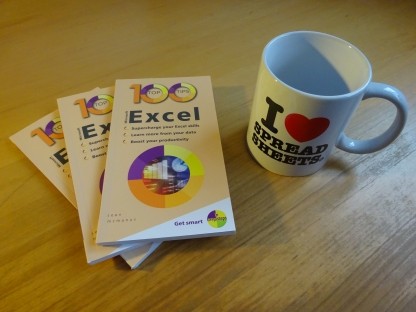
100 Top Tips: Microsoft Excel
Power up your Microsoft Excel skills with this powerful pocket-sized book of tips that will save you time and help you learn more from your spreadsheets.



09 March 2012
Apple has unveiled the iPad 3, and perhaps the most surprising thing is that there were few surprises. There had been so much speculation before its release, some of it informed by leaked photos of parts and some of it possibly planted, that there was already some consensus on what would be introduced in the iPad 3.

There were a few predictions that didn’t come true, including a fascinating story in The Guardian about a haptic technology that makes the flat screen feel like it has texture, so you can feel the edges of keys, for example. There were rumours the Home button would be removed so that all the controls are gesture-based, although this seemed unlikely, both for usability and branding reasons.
We now know that there are two main changes: the first is that the camera quality has been improved. It still lags behind the iPhone’s camera quality or a dedicated digital camera, but it’s significantly better than the iPad 2. Until I get my hands on one, I won’t be sure what kind of shots it will be good for, but the previous camera was only really suitable for video calling or for quick grab shots. It couldn’t be used as a real camera, to make photos you’ll want to keep forever. Hopefully, the iPad’s new camera will be much closer to what we would expect from a camera phone.
The other main change is that the screen resolution has doubled, so text and images will look sharper. The device will be able to play back HD video at its full resolution, which led to some speculation that the device would be called the iPad HD, although there’s no indication of that on Apple’s website. Apple just calls the device a third-generation iPad. Apple says the higher resolution has no significant impact on battery life, which is good news.
There are a few other changes that will be less obvious. The iPad now supports 4G mobile communications, but since there isn’t much coverage for these in the UK, that’s unlikely to make much difference here. You can use your iPad’s mobile connection to create a wi-fi hotspot for other devices, although this is probably of most use if you’re getting superfast 4G speeds in your mobile connection.
The new iPad also has a new processor, called the A5X, which has double the graphics processing capability of the previous processor, so it can manage the enhanced screen effectively.
The release of the iPad 3 also came with some software enhancements. The camera app has been redesigned, most notably so that the button to take a photo is somewhere you can actually reach it without having to juggle the iPad with one hand. It’s now possible to delete photos from the Photo Stream folder on the iPad, although that delete instruction doesn’t seem to synchronise with other devices, so you’ll need to delete the photo on your other devices too. The camera is also said to have face detection built-in, so that it can optimally balance the exposure across all the faces in your photo. Apple says it’s also improved the sound quality on the iPad so that films and TV shows sound better. All these features, plus some bug fixes, are available to owners of older iPads who upgrade their iPad software to version iOS 5.1 (obviously, you still need an iPad 2 with a built-in camera to use the Camera app). If you’re not yet running iOS 5.0, see my guide to upgrading to iOS5. If you have upgraded to iOS 5.0, you can upgrade again to this latest version iOS 5.1 by going into your Settings app, tapping General, then Software Update.
There’s also a new software feature which Apple hasn’t rolled out to older iPads, which is a new dictation button on the keyboard which enables you to dictate text to the screen. At first I thought this was a simple software feature that could easily have been given to those with older iPads, but on reflection, voice recognition is quite processor-intensive, so it might need the new A5X chip to work.
Apple has also released iPhoto for the iPad (pictured, above). When Apple announces a new application like this, I feel a little conflicted. On the one hand, it’s great that they’ve invested in creating new software. On the other hand, given the device costs about £500, it wouldn’t hurt them to give away the software, rather than charging £3 for it, which almost seems petty. When you buy a new Mac, you get iPhoto, iMovie and Garageband for free, and these are all sold separately for the iPad. Apple did introduce basic photo editing capabilities in the iOS5 software upgrade for the iPad, so perhaps I shouldn’t grumble about them making enhanced features available to those who are prepared to pay a bit for them, given they have to invest resources in creating the software.
The iPad 3 will be released on Friday 16th March and Apple is taking pre-orders now if you’re interested. Amazon doesn’t have a proper listing for the iPad 3 yet, but I expect other retailers will be advertising it for sale and pre-orders over the next few days.
(Corrected, with thanks to Michael Hülskötter, to clarify that the quad-core is for graphics only).
Labels: Apple, iOS5, iPad, iPad 2, iPad 3, iPad HD
Permanent link for this post | Blog Home | Website Home | Email feedback
16 February 2012

Permanent link for this post | Blog Home | Website Home | Email feedback
26 January 2012
Labels: iPad, iPad 2, journalism, webdesign, writing
Permanent link for this post | Blog Home | Website Home | Email feedback
15 January 2012
Labels: books, iOS5, iPad, university of death, webdesign, writing
Permanent link for this post | Blog Home | Website Home | Email feedback
09 December 2011


Labels: Apple, books, iPad, music promotion
Permanent link for this post | Blog Home | Website Home | Email feedback
01 December 2011
My book iPad for the Older and Wiser is officially a bestseller. It's currently the #1 book on Amazon.co.uk in the Silver Surfers category, and the #1 book on Amazon.co.uk in the computer hardware category. It holds the second position in the chart for all computer science books.
You could argue that all the niche charts make it easier to get a bestseller now, but there’s still a lot of strong competition out there. It’s nice to know that my book has charted above every other book about the iPad and every other book about computing for the over 50s.

The book’s sales ranking overall is #1,655 out of all the books Amazon sells, which puts it ahead of The Hitchhikers Guide to the Galaxy (#2,808), Pride and Prejudice (#1,925) and The Catcher in the Rye (#1,834). That’s somewhat tongue-in-cheek: these books have sold steadily over a generation or more, and will continue to do so for decades to come. But it’s still nice to think that for a brief period my book was more popular with Amazon’s customers than some of the most famous books in English. And this is the highest ranking I remember any of my books getting on Amazon, too.
The response to the book has been fantastic. I attended a U3A meeting recently and the members there were really enthusiastic about the book and the iPad. It’s been getting some great reviews too. Many thanks to everyone for their support with it. You can find out more about iPad for the Older and Wiser here. It's available to buy in all good bookshops, including Amazon.
Permanent link for this post | Blog Home | Website Home | Email feedback
20 November 2011
Review reproduced by kind permission of www.choicemag.co.uk
Labels: books, Christmas, iPad
Permanent link for this post | Blog Home | Website Home | Email feedback
09 September 2011
 iPad for the Older and Wiser has now been published, and I've just received my box of author copies. Even though I've seen the laid-out pages for the whole book, it doesn't really look like a proper book until you've got the lavishly printed copy in your hand, so it's a good feeling to see all the months of work solidified in the finished product. The screenshots and photos have come out great, and Stephen Long has created some colourful cartoons to introduce each part.
The book is also available in a range of digital formats for reading on ebooks, including Kindle and iBooks. In due course, I'll add links to those in my shop, but if you prefer digital, you can probably find the book by searching for it in your preferred store.
Today I've also published the list of the top 20 best iPad apps (no longer online) which appears in the book. With my books, I try to provide links and other resources on this website to save readers having to search for things I can more easily just give them on this website. The online version has been enhanced with some videos demonstrating three of the apps, and links to all the apps so you can go straight to them in iTunes. Did I include your favourite iPad app? If you've got another to suggest, feel free to leave a comment or email me.
Permanent link for this post | Blog Home | Website Home | Email feedback
08 September 2011
Although I use Blogger myself for managing this blog, I typically recommend Wordpress as being more fully featured. I use it for some other blogs I write, and it’s a bit more flexible and more powerful than Blogger, especially for newcomers. I wrote a section outlining the basics of getting started with Wordpress in my book Web Design in Easy Steps.
When I was looking around one of my Wordpress-hosted blogs recently, I discovered a new section in the Appearance section of the settings. If you log into your Wordpress dashboard, and scroll down, you should see ‘iPad’ in the Appearance section, on the left. These settings give you the option to upload an image that will be shown when someone launches your blog from an icon on the iPad’s home screen, and to upload a cover logo. These help to give a visit to your blog a more native app-like feel on the iPad. By default, the option to display a special theme for iPad users is ticked, and you can confidently leave it ticked.
Although I’ve been using the iPad a lot, especially while writing my book iPad for the Older and Wiser, I hadn’t visited any Wordpress blogs with it, so I was intrigued to see what this was all about. Basically, with the theme selected, Wordpress presents your blog in a format that is optimised for the touch screen and that will be familiar to iPad users when they view it. On the iPad, you see boxes containing headlines and a short summary of your story. When you tap one, a window opens to show the story in full which can be dragged up and down. To move between the pages of summaries, you swipe sideways to turn the pages. The whole experience is similar to the superb Flipboard app, which turns updates from social networks and your favourite websites into a magazine-like experience.
This is a great innovation from Wordpress: it feels like a native app on the iPad, and doesn’t require any additional work from the content creator, nor does it interfere with the experience for those using desktop computers. If you want to see an example of it, try visiting Finepixtrix, a photography blog I picked from Wordpress’s homepage, with your iPad. It features some great photography by Grahame Hall, who lives in South Africa. On a desktop computer, his blog looks much like this blog: the blog posts are stacked on top of each other and you scroll down the screen to read them. On the iPad, it’s more like a magazine, with headlines and images laid out neatly on the screen, so you can quickly find what you want to read. This screenshot shows the blog’s iPad theme:

If you have a Wordpress blog and want to offer iPad visitors a similar experience, the good news is that Wordpress is already doing it for you. However, you can make the experience even slicker by uploading a splash image and logo in your Wordpress settings. If you customise your blog for the iPad, leave me a comment and I'll check it out.
Labels: blogging, blogs, books, iPad, iPad 2, webdesign
Permanent link for this post | Blog Home | Website Home | Email feedback
01 September 2011
If you’re wondering whether you should get the 3G iPad or just get the Wi-Fi one, there’s a new tool from the BBC that might help you to decide. The BBC invited volunteers to download an app for their Android mobile phones, and the app tracked where mobile signals were available. In total, 44,600 people submitted 1.7 million hours of data across the UK.
What it means for you is that you can enter a postcode on the BBC’s UK mobile coverage map, to see whether there is 3G coverage in that area. If the map is green where you live, it means there is coverage. If it’s purple, it means there is 2G coverage, which is slower but will still work on your iPad. The white areas have no data, which means nobody participated in the survey there. (It doesn’t matter that the data was collected using Android phones, because the iPad uses the same network).
If you have somewhere you might want to use your iPad regularly and won’t have access to free Wi-Fi, it’s worth checking it to see what the 3G coverage is like there using the BBC’s map. Technology news site The Register warns that you should take the data with a pinch of salt: if there’s one square showing superior coverage to all the squares around it, that’s probably a blip in the data. But the data should be broadly accurate and is based on actual coverage experienced by people using mobile phones.
As my book iPad for the Older and Wiser explains, Wi-Fi is usually free to use at places like cafes and in your own home. 3G requires a payment, typically a subscription that allows you to access a certain amount of data in a certain timeframe (such as 1GB in a month, which would be enough for about 200 songs or 10,000 web pages, according to O2’s estimates). Generally, I’ve found it helpful to have a 3G iPad for when I don’t have Wi-Fi coverage, including when in the car or when my home Wi-Fi network goes down.
UPDATE: My Friend Mark who lives in Shropshire says: "Don't believe the map 100%... says I get 3g when in fact very occasionally I get an unusable 3g signal and most of the time I hardly get a 2g one!"
Permanent link for this post | Blog Home | Website Home | Email feedback
26 August 2011

When I was writing iPad for the Older and Wiser, I was surprised to see that Alaska Airlines was replacing its flight manuals with the iPad. Now, the Guardian reports that United and Continental are also going paperless thanks to the iPad, and American and Delta airlines are testing the technology.
There’s a lot of money at stake. The Guardian reports that switching from 38lbs of paper to adopt the 1.5lb iPad will save 326,000 gallons of jet fuel each year, and 16 million sheets of paper. There’s no announcement as to how many back injuries it will prevent, by avoiding the need to lug around all that paper. The investment should pay for itself in five years, with $5 million being invested in iPads and $1 million being saved each year, which is an admirably long term investment in an uncertain economy.
To make sure there’s a failsafe, the pilot and copilot will each have iPads, so that if one fails, the other should still be available. If both fail, then information can be radioed to the cockpit. Unless the radio fails, I guess.
I’m not sure how I feel about this move. Given the amount of documentation that accompanies a flight, I imagine an iPad could make it much easier to find important information quickly, and the backlight might make it easier to read in difficult circumstances. But there’s something reassuring about the fact that a book never crashes or runs out of juice. I’m a fan of the iPad, obviously, but you can’t beat paper for accessibility. That said, the Federal Aviation Administration in the US insists that extensive safety testing is carried out before the iPad is introduced in the cockpit, and I’m sure they are used to dealing with much more sensitive systems than the iPad.
Unless the iPads are locked down to prevent new apps being installed, pilots will need to resist the temptation to install games. Here’s hoping that the only angry birds the pilots see while flying the plane are through the cockpit window.
(The picture is a press photo from Alaska Airlines, showing a pilot using an iPad in the cockpit. This photo was issued in May 2011 when Alaska Airlines became the first airline to use adopt the iPad for flight documentation.)
Labels: iPad, technology
Permanent link for this post | Blog Home | Website Home | Email feedback
25 August 2011

Steve Jobs (pictured right in 2010) has stepped down as CEO of Apple, but will continue to be chairman. While Apple argues it will make little difference to the company’s operations, the stock market disagrees. The BBC reports that Apple shares fell 5% in after-market trading on the Nasdaq, and fell 4.1% in the secondary listing on Frankfurt’s stock exchange. The BBC also implies that a 4.1% rise in the share price of HTC and 3.2% rise in Samsung’s share price are also related to Jobs stepping down.
Apple has a talented team, including British designer Jonathan Ive who led the design of the iPod and the iPad, so the company remains in a strong position to innovate and grow. But many people, including many shareholders, perhaps, believe that a lot of Apple’s vision has come from Jobs.
'Revolutionary' is a word that's overused in technology PR and journalism, but Apple really has transformed entire industries under Jobs' leadership. The company has completely transformed the music industry, to the extent that Apple is arguably the most powerful company in the business, making huge amounts of money from the hardware and being one of the leading retailers for downloadable music.
Apple ignored the conventional wisdom on how the mobile phone market worked, and changed the game there too. Before the iPhone, handsets were free and operators got most of the money. Now, many people are willing to pay for an iPhone, and a huge chunk of the money in the industry goes to Apple, for both the hardware and the apps on the phone.
Apple has also dramatically reinvented the software industry. The app store model has changed the way that people discover and buy software, and has also made them much more likely to do so. People who wouldn’t enter a software or games shop are happy to buy apps, and a whole industry of amateur app developers has grown up to create those apps, some of whom have become fantastically wealthy.
Apple has also led the way with tablets, inspiring lots of other companies to try to emulate the success of the iPad. Now it’s a huge success, it’s easy to forget that a lot of people didn’t understand the point of the iPad when it first came out. It was a big iPod, or a computer without a keyboard: it seemed to be neither one thing nor the other. I didn’t get it until I tried one, but when you try one, you see how easy it makes it to do the things you usually do with a computer, and how enchanting the whole experience is. I’m a huge fan of the device, so much so that I’ve written a book about the iPad.
Apple hasn’t always been first to market with its ideas. There were MP3 stores and software downloads before Apple, for example, and there were portable music players before the iPod (including the Rio, which I reviewed for Making Music in 1999, and which could store an amazing 30 minutes of music by default). But being first to market isn’t always the most important thing. Apple shows that you can take existing ideas and improve them, design elegant products, and customers will follow.
Jobs will stay on as chairman of the company, so it can continue to benefit from his vision and ideas. Freed up from the day to day responsibility for running the company, Jobs will be free to focus his energies purely on generating ideas and helping to direct strategy. For a company led by sometimes daring ideas, this could make Apple even stronger.
(Photo of Steve Jobs courtesy of Matt Yohe, via Wikimedia Commons).
Labels: iPad, iPad 2, iPod, music, software, technology
Permanent link for this post | Blog Home | Website Home | Email feedback
09 August 2011
Here's a short film my publisher has made to promote our book iPad for the Older and Wiser, which is coming out in September. The video starts with an introduction to the book, and then covers my five top tips for getting the most out of the iPad, especially picked for the Older and Wiser audience.
The video was made by the marketing and media team at the book's publisher, John Wiley & Sons, and they've done a fantastic job of creating this film. Hope you enjoy it! I didn't write a script for it, so I was improvising, which probably made it harder to edit. Next time, I'll definitely write a script.
Meanwhile, the book is going through the last stages of production. I've finished proofreading the pages and checking the index, so the next time I see it, it will be as a real printed edition. Exciting times!
You can order your copy now (it's an ideal Christmas gift for relatives with an iPad too!) to benefit from Amazon's pre-order price guarantee, which ensures you'll pay the lowest price Amazon offers from your order until the publication day. The book will also be available in all good bookshops.
Labels: books, iPad, iPad 2, video
Permanent link for this post | Blog Home | Website Home | Email feedback
05 June 2011
Permanent link for this post | Blog Home | Website Home | Email feedback
14 April 2011
 Firstly, Web Design in Easy Steps has now been published. It's a full colour 240-page book in the popular In Easy Steps series. It starts by looking at the web design challenge, and then discusses what makes an effective website (with chapters dedicated to content, navigation and layout), before going into more depth on how websites are built. There are chapters dedicated to HTML, CSS and Javascript, and there are tips on using tools such as Flash, Dreamweaver and Wordpress. There is also advice on plugging in to social networking sites and adding a shopping cart. The book concludes with a look at how you can promote your website and measure what your visitors do on the site.
Labels: books, iPad, iPad 2, Microsoft Office, webdesign
Permanent link for this post | Blog Home | Website Home | Email feedback
25 March 2011

The marketing materials, waiting to be unveiled

You can look, but don't touch. The shiny new cases were defended by shop staff until 5pm, and then only available to those who bought the iPad.

The queue. I got there at about 4.30, which is half an hour before the official on-sale time, and they had nearly allocated all the units they had. Congratulations to the idiot near the front who changed his mind when it came time to buy later, and so messed up the allocations for those behind him in the queue. When they say 'think different', they don't mean that.

And there it is, on display at last. Those who were buying one couldn't leave the queue to try it out first, which was sort-of funny. Everyone was relieved when they were finally put on display and plugged in, if only because it stopped the table's security alarm whining.

And here it is! Ta-da! I didn't think the physical dimensions would make much difference, but it felt quite a bit lighter than my 3G iPad 1, although that might be partly because I was holding a Wi-Fi demo unit. I don't think the unit's noticeably heavier than my SLR camera, so it might be okay for shooting HD video, although it's still a bit clumsy to point. Still waiting for that tripod!

Here's the Photo Booth software, which enables you to shoot photos with weird effects applied. It's interesting, but feels more like something for a Nintendo handheld than the iPad. I expect we'll tire of seeing photos featuring that Dr Who title sequence tunnel effect, but it's a nice way to have a bit of fun with the camera, even in a PC shop, which isn't the most photogenic place to shoot.
I'm looking forward to getting my hands on the iPad 2 for a proper play with it. The main difference is the camera and video conferencing app FaceTime, plus a couple of minor things in the apps.
By the way, I passed the half-way point in writing the first draft of my book iPad for the Older and Wiser today. Cheers!
Permanent link for this post | Blog Home | Website Home | Email feedback
04 March 2011

Two iPads showing the Facetime video conferencing app. Photo courtesy of Apple.
Apple's proud that the new iPad is thinner. While it is remarkable how much computing power they've squeezed into a device that thin, I don't think this really matters to most people. The original iPad was remarkably thin, and there comes a point at which it doesn't really matter how much thinner it gets. We probably don't want the iPad to get too thin, anyway, otherwise it'll start to feel insubstantial and fragile.Labels: books, iPad, iPad 2, writing
Permanent link for this post | Blog Home | Website Home | Email feedback
23 June 2010
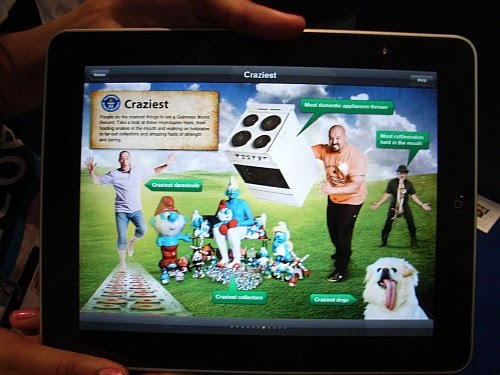
 I've just published an article about how you can make ebook apps for the iPhone, iPad and iPod Touch. It's based on interviews with about 20 industry insiders, including bestselling app creators, authors and publishers.
 Labels: apps, ebooks, iPad, iPhone, iPod, publishing, writing
Permanent link for this post | Blog Home | Website Home | Email feedback
22 April 2010

Labels: ebooks, iPad, publishing
Permanent link for this post | Blog Home | Website Home | Email feedback

© Sean McManus. All rights reserved.
Visit www.sean.co.uk for free chapters from Sean's coding books (including Mission Python, Scratch Programming in Easy Steps and Coder Academy) and more!
Power up your Microsoft Excel skills with this powerful pocket-sized book of tips that will save you time and help you learn more from your spreadsheets.
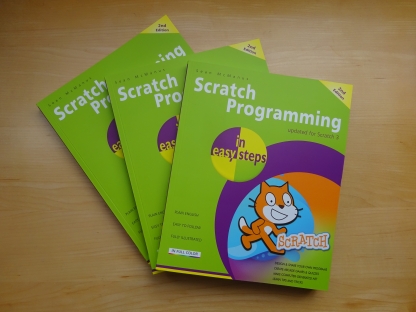
This book, now fully updated for Scratch 3, will take you from the basics of the Scratch language into the depths of its more advanced features. A great way to start programming.
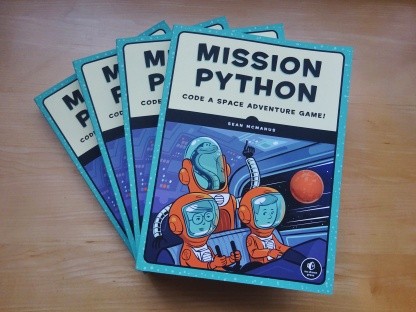
Code a space adventure game in this Python programming book published by No Starch Press.
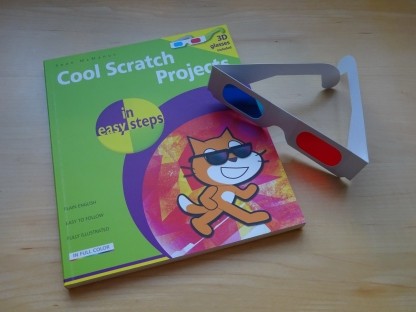
Discover how to make 3D games, create mazes, build a drum machine, make a game with cartoon animals and more!
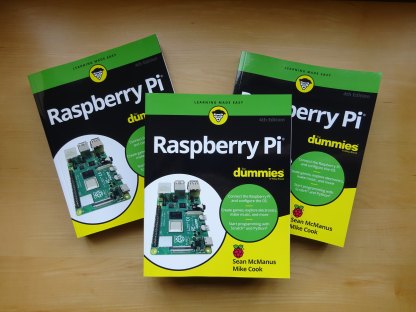
Set up your Raspberry Pi, then learn how to use the Linux command line, Scratch, Python, Sonic Pi, Minecraft and electronics projects with it.
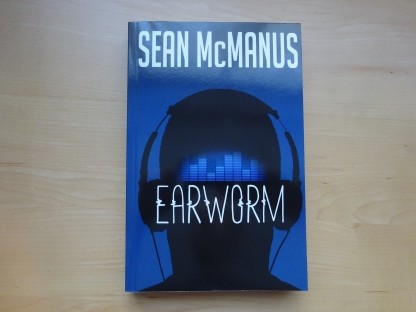
In this entertaining techno-thriller, Sean McManus takes a slice through the music industry: from the boardroom to the stage; from the studio to the record fair.
 Top | Search | Help | Privacy | Access Keys | Contact me
Home |
Newsletter |
Blog |
Copywriting Services |
Books |
Free book chapters |
Articles |
Music |
Photos |
Games |
Shop |
About